Profile and users
Updated
On this page
Profile and preferences
Open Account settings → Profile.
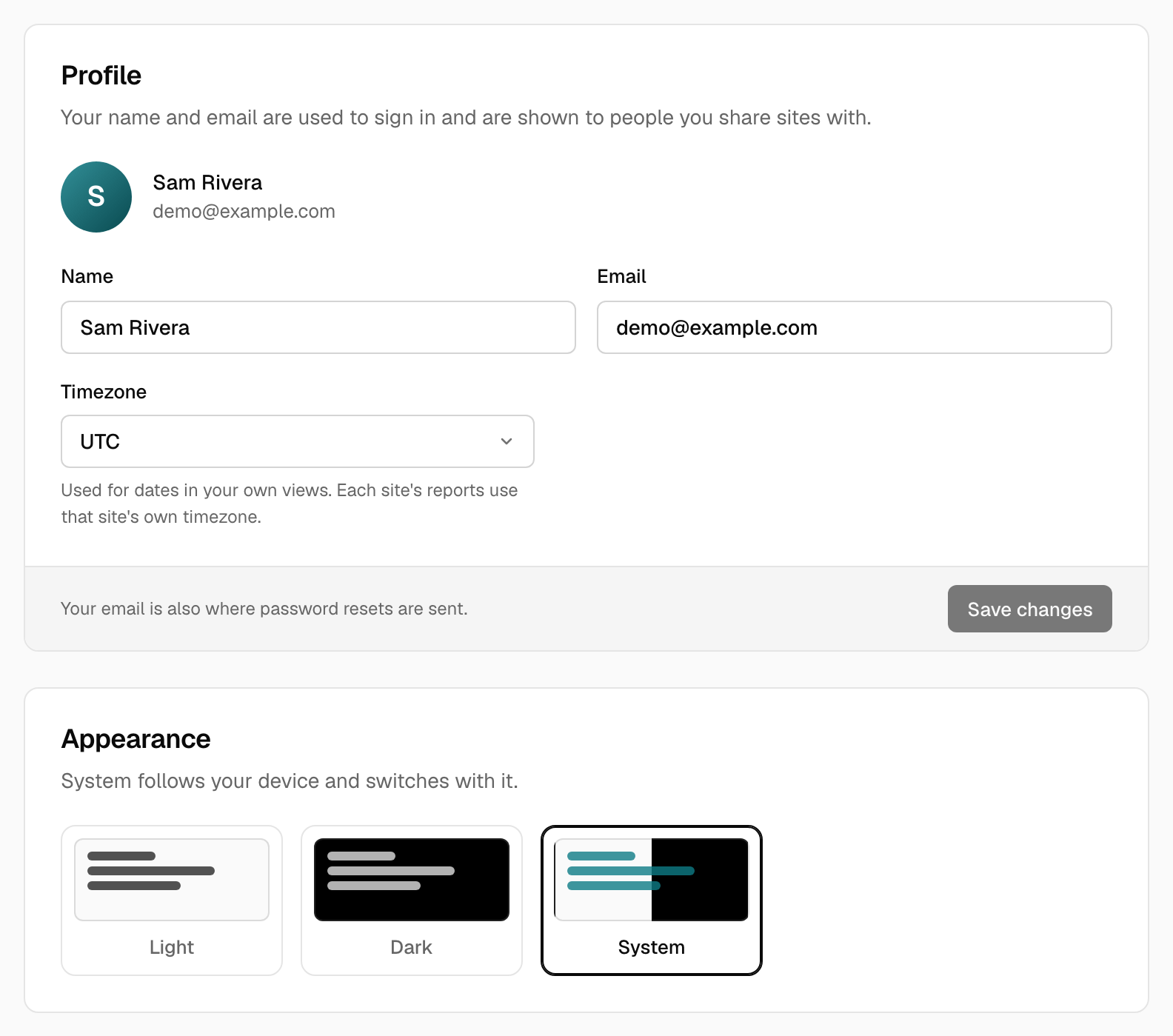
- Name and email are used for sign-in and shown to people you share sites with.
- Timezone is your personal timezone. Each site's reports use the site's own timezone, set in General settings.
- Appearance switches between light and dark. By default Tidemark follows your system. Choose Light, Dark or System here. It is the only place to change it while you are signed in, and public dashboards give visitors their own toggle.
Users (administrators)
Administrators see an extra Users page under Account settings.
- Add a user with a name, email and temporary password (at least 8 characters). Tick Administrator to give them access to users and updates.
- Delete a user to remove their account and API keys. Sites they own keep their data.
- You can't delete yourself or remove your own administrator role.
A new user starts with no sites. Give them access with People on a site, or let them add their own.
Self-hosted installations keep public registration closed. See People and roles.
Was this helpful?
Ready to try Tidemark?
Free plan, no credit card. No cookies, no footprints.