Filters
Updated
On this page
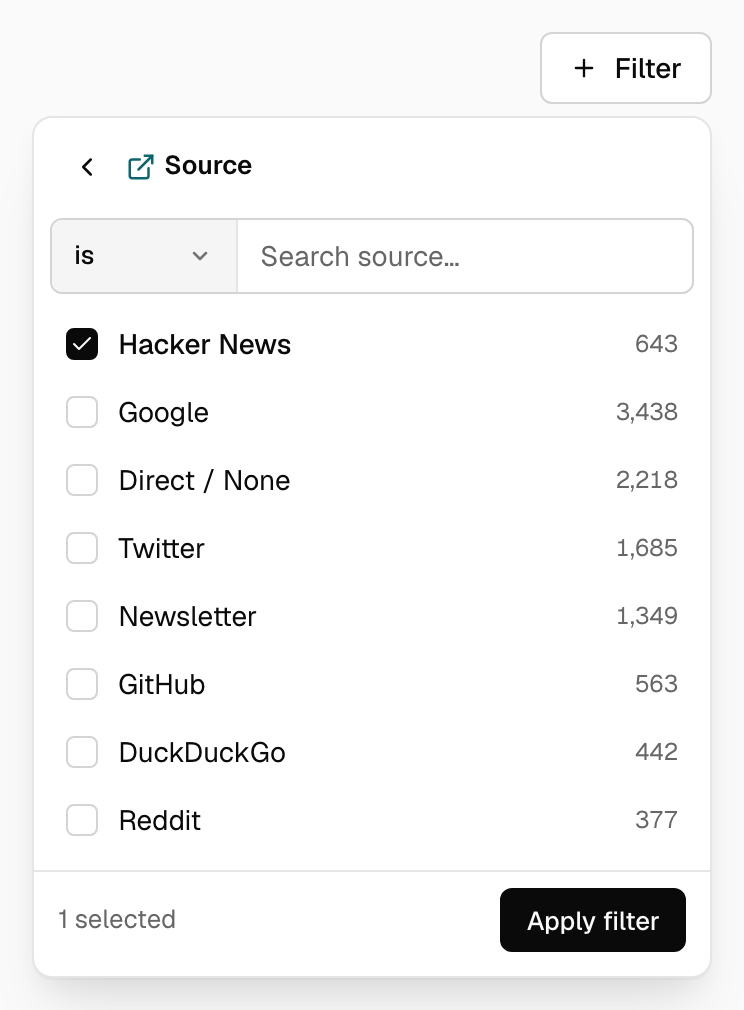
Click any row in a report, or open the Filter menu and choose what to filter by. Search or tick one or more values, which show their visitor counts, pick the operator beside the search box (excludes means does not contain) and apply. Filters apply to every metric, graph and list at once.
Operators
| Operator | Matches |
|---|---|
| is | The exact value |
| is not | Everything except the value |
| contains | Values with the text anywhere in them |
| does not contain | Values without it |
Add several values to one filter to match any of them. In is filters, * is a wildcard: /blog/* matches every page under /blog/.
Goal filters
Filtering by a goal switches the dashboard into conversion mode, so the numbers describe visitors who completed it.
Filters in the Stats API
The same logic is available in the Stats API with the filters parameter.
Was this helpful?
Ready to try Tidemark?
Free plan, no credit card. No cookies, no footprints.