Bot and spam filtering
Updated
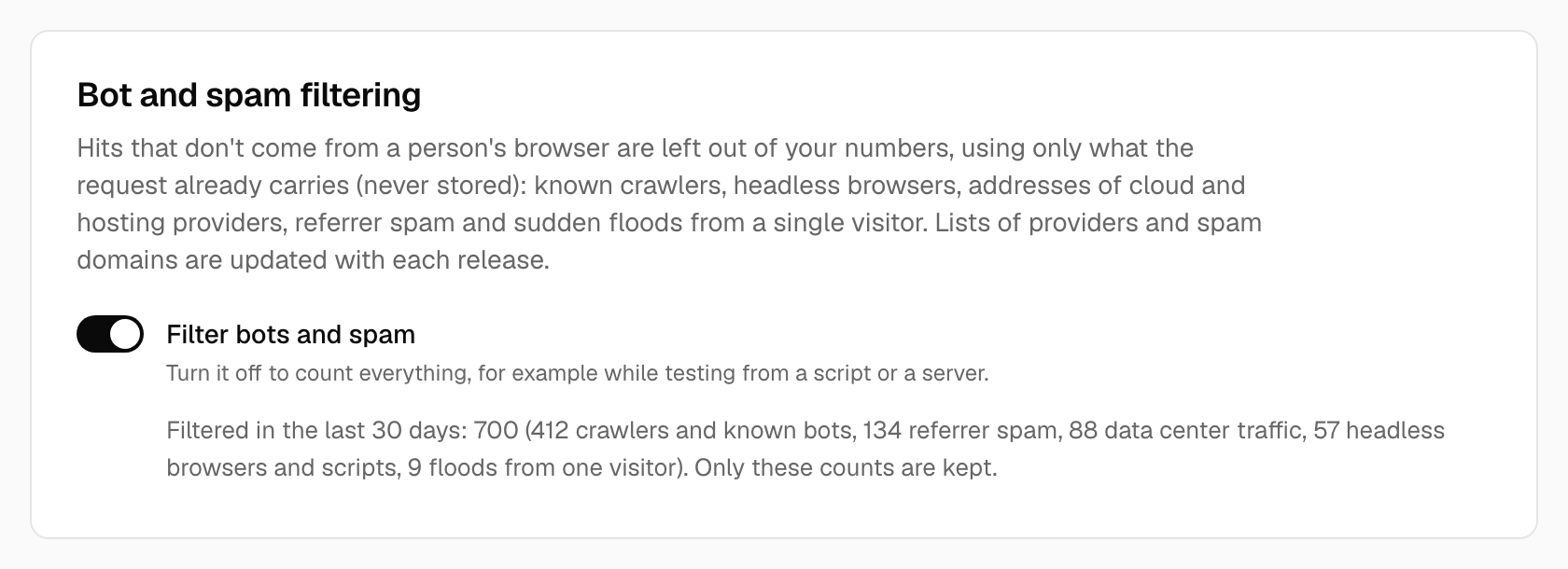
Inflated numbers erode trust in the whole dashboard, so Tidemark leaves out hits that clearly don't come from a person's browser. It is on by default for every site; open Site settings → Tracking → Bot and spam filtering to see what it filtered or to turn it off.
What is filtered
| Reason | What it catches |
|---|---|
| Crawlers and known bots | Search engines, link previewers, uptime monitors and tools such as curl and Python requests, by user agent. |
| Headless browsers and scripts | Headless Chrome and clients that don’t send a language header, as every real browser does. |
| Data center traffic | Addresses of Amazon EC2, Google Cloud, Oracle Cloud, DigitalOcean and Linode. People browse from homes, phones and offices; scripts run in data centers. |
| Referrer spam | Domains that exist only to appear in other people’s referrer reports, from the public Matomo spam list. Checked against the referrer and the utm_source. |
| Floods | One visitor sending more than 120 hits in a minute. |
Filtered hits are accepted (the tracker never sees an error) and then dropped. The card shows Filtered in the last 30 days with a count per reason, so you can see it at work.
What is stored
Only a daily count per reason. The address, user agent and headers are looked at in memory to make the decision and are then discarded, as for every other hit. Nothing is fingerprinted and no cookie is set.
When to turn it off
Switch Filter bots and spam off if you want to count everything, for example while testing the tracker from a script or a server (a request from curl or a cloud machine is filtered like any other). People who browse through a VPN hosted in one of the listed clouds will also be filtered; if that matters for your audience, turn it off.
Lists and updates
The provider address ranges and the spam list ship with each release, so updating Tidemark keeps them current. On Tidemark Cloud this is automatic.
On a self-hosted installation you can tune two things in .env:
TIDEMARK_FLOOD_PER_MINUTE(default120;0turns the flood check off).TIDEMARK_DISABLE_BOT_FILTER=trueturns all filtering off for every site.
If you build Tidemark from source, run php artisan bots:update-lists before a build to refresh the lists from their public sources.
See also Shields, for traffic you want to exclude yourself (your own IP, a country, a page).
Was this helpful?
Ready to try Tidemark?
Free plan, no credit card. No cookies, no footprints.