Privacy controls
Updated
On this page
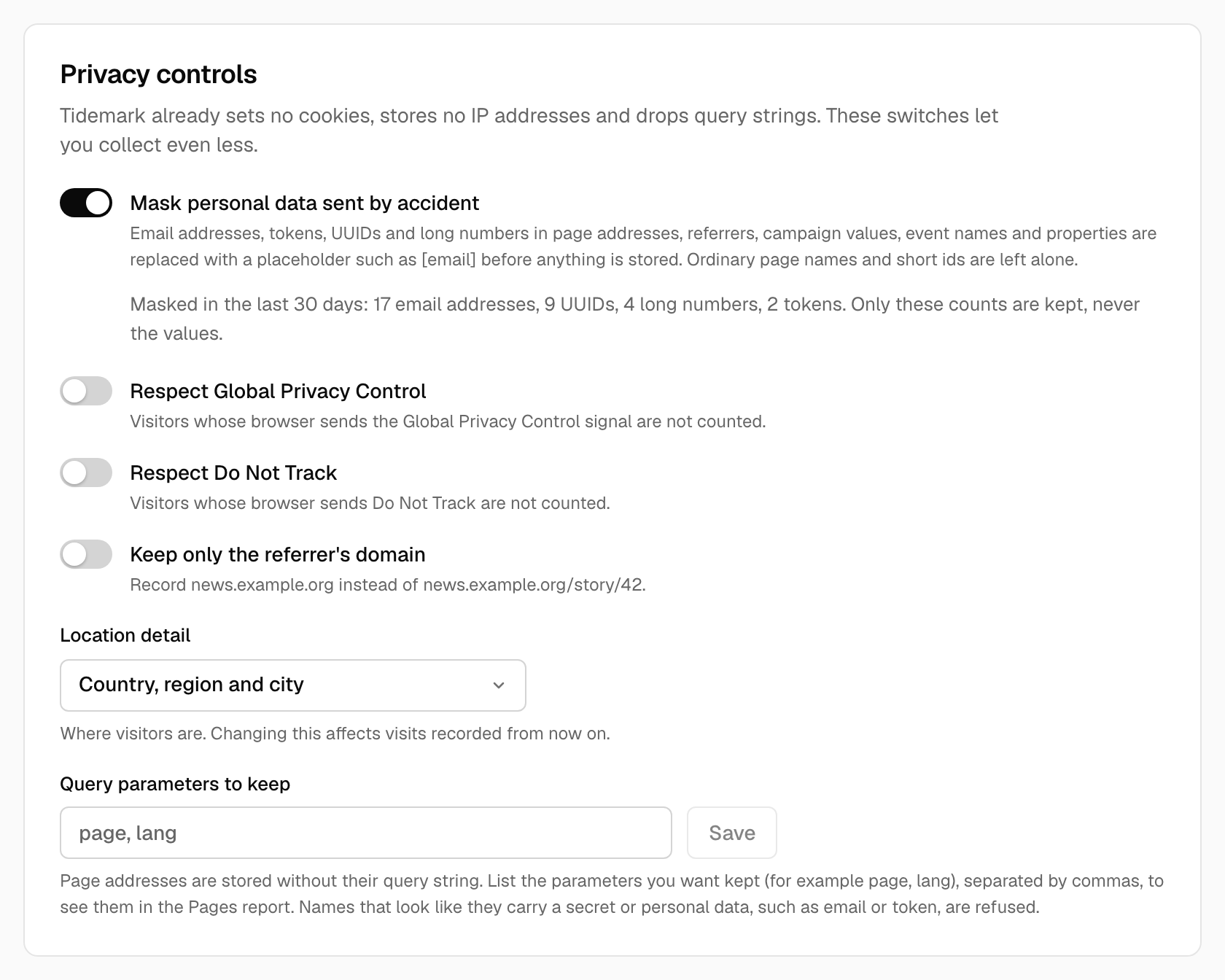
Tidemark already sets no cookies, stores no IP addresses and drops query strings. Open Site settings → Tracking to collect even less. These controls are per site and apply to visits recorded from the moment you change them.
Privacy signals
- Respect Global Privacy Control. Visitors whose browser sends the Global Privacy Control signal are not counted at all.
- Respect Do Not Track. The same for the older Do Not Track header.
Both are off by default, because most sites count everyone who visits. They are separate switches, so you can honor one and not the other.
Location detail
Choose how precisely visitors are placed: Country, region and city, Country and region, or Country only. What you don't keep is never stored, so it can't appear in the Locations report or in exports. Changing it doesn't alter visits recorded earlier.
Query parameters to keep
Page addresses are stored without their query string, so /shop?page=2&session=abc is recorded as /shop. If a parameter is part of what the page is (a page number or a language), list it here, separated by commas, and it stays in the Pages report: page, lang.
Names that look like they carry a secret or personal data, such as email, token, password or session, are refused. UTM parameters are read for the Sources report as before; they are not affected by this list.
Keep only the referrer's domain
With this on, Tidemark records news.example.org instead of news.example.org/story/42. The Sources report is unchanged; the Referrers list just shows domains.
Related
- Masking personal data: values that sites send by accident, such as an email address in a URL.
- Small groups on public dashboards: hide rows that point at a handful of people.
- How privacy works
Was this helpful?
Ready to try Tidemark?
Free plan, no credit card. No cookies, no footprints.