Email reports
Updated
People don't open dashboards every day. An email report is a calm summary of a site that arrives when you ask for it, weekly or monthly.
Turn a report on
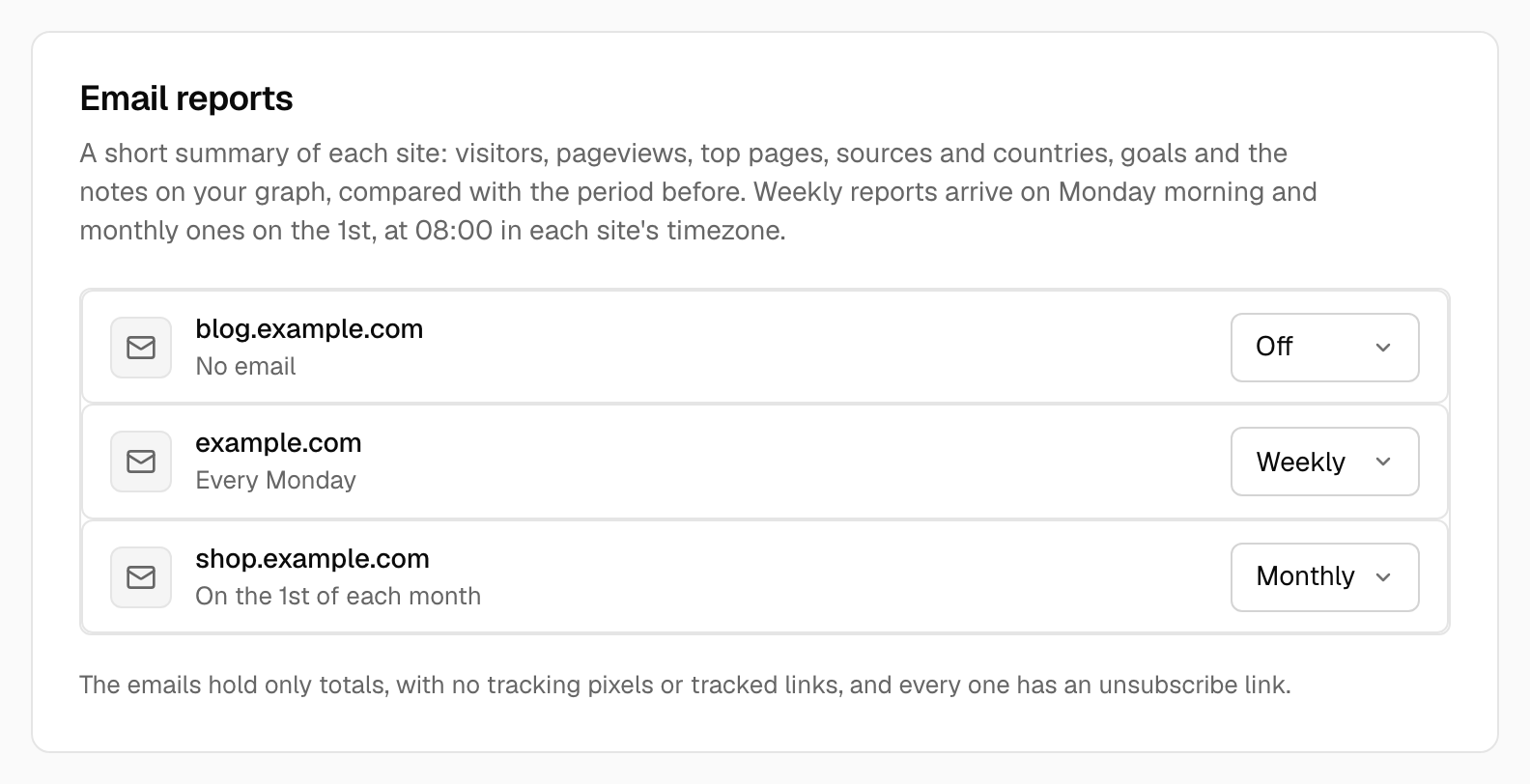
Open Account settings → Email reports. Every site you belong to is listed; choose Weekly or Monthly next to it, or Off. Reports are personal: each person on a site chooses their own, and they go to the email address of your account.
When they arrive
- Weekly reports arrive on Monday and cover the last full week (Monday to Sunday).
- Monthly reports arrive on the 1st and cover the last full calendar month.
Both are sent from 08:00 in the site's timezone. The first report is the next one that ends: turning one on today doesn't send last week's late. A period without any visitors is skipped.
What's in it
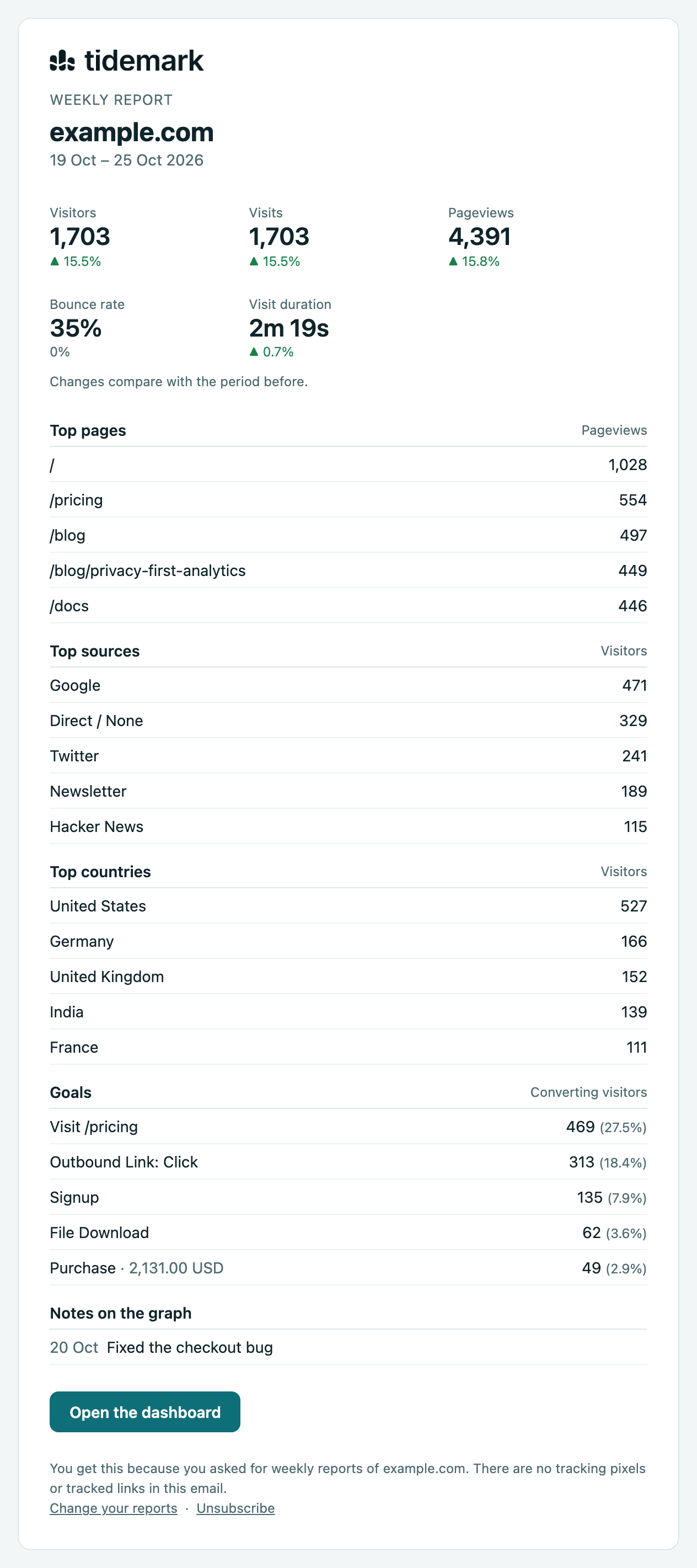
- Visitors, visits, pageviews, bounce rate and visit duration, each compared with the period before.
- The top pages, sources and countries.
- Goals with their conversions, and revenue where a goal reports it.
- The notes on your graph that you are allowed to see.
The email is plain HTML with a text version. It has no tracking pixel and no tracked links, and every email has an unsubscribe link (mail apps that offer one-click unsubscribe use it too).
Plans
On Tidemark Cloud, email reports are included with every plan.
Self-hosted
Reports need outgoing email and the scheduler: php artisan schedule:run every minute runs reports:send hourly, and each report goes out once its time has passed, even after some downtime. Until email is set up the Email reports tab says so and nothing is sent.
Was this helpful?
Ready to try Tidemark?
Free plan, no credit card. No cookies, no footprints.