Masking personal data
Updated
Sites sometimes send personal data to analytics by accident: an email address in a URL (/account/[email protected]), a password-reset token in a path, an order number in an event name. Tidemark replaces such values with a placeholder before anything is stored, so they never reach the database.
What is masked
| Kind | Placeholder | Examples |
|---|---|---|
| Email addresses | [email] | [email protected] |
| UUIDs | [uuid] | 550e8400-e29b-41d4-a716-446655440000 |
| Tokens | [token] | long mixed letters and digits, JWTs, hex hashes |
| Long numbers | [number] | nine digits or more: card, account or phone numbers |
Masking applies to page addresses, referrers, campaign (UTM) values, event names and event properties. Ordinary page names, slugs, dates and short ids such as /blog/2026-launch or /orders/1042 are left alone, so your reports stay readable. Only the number of masked values is kept, by kind and day, never the values themselves.
On Tidemark Cloud
Masking is always on for every site and is not shown as a setting. It is part of how Cloud keeps personal data out of your analytics.
On a self-hosted installation
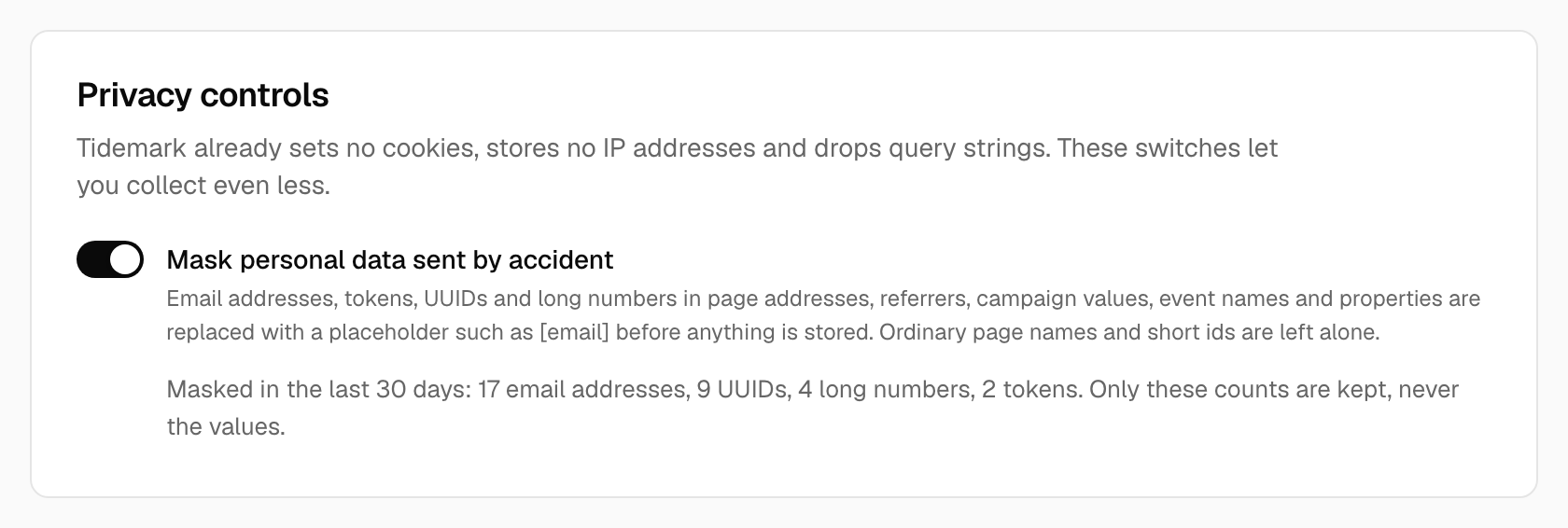
Masking is on by default. Open Site settings → Tracking → Privacy controls to switch Mask personal data sent by accident off for a site if you really need to. The same card shows what was masked in the last 30 days, by kind, so you can tell whether a page is leaking something and fix it at the source.
Note:
Masking helps, but it is not a licence to send personal data. If you see masked counts for a page, fix the page so it stops putting an email address or token in its address.
See also Privacy controls and How privacy works.
Was this helpful?
Ready to try Tidemark?
Free plan, no credit card. No cookies, no footprints.